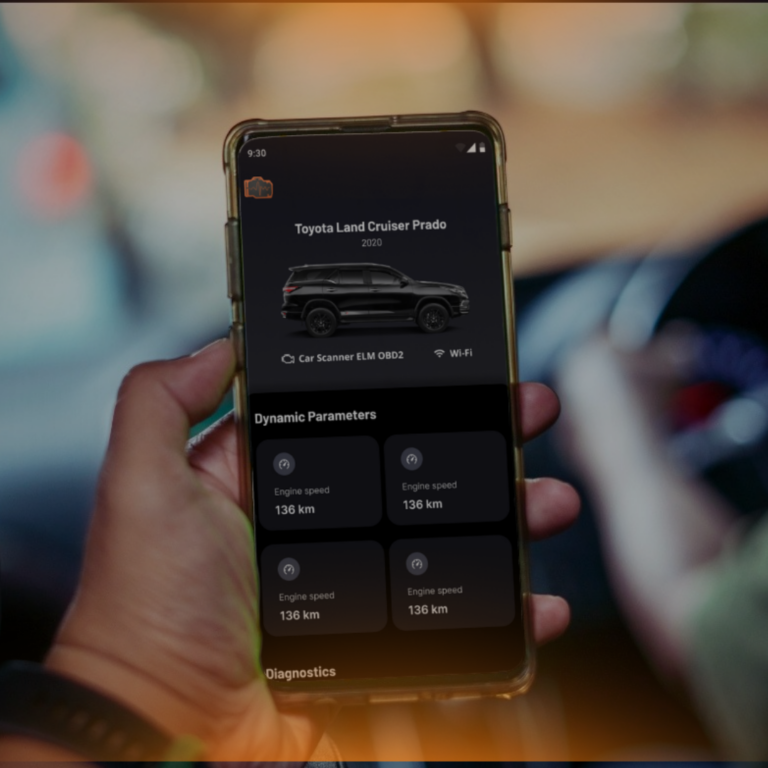
InCarDoc is an amazing application for drivers worldwide and 5 000 000 downloads are proving it. Besides of reading and cleaning trouble-codes, InCarDoc has many additional useful features for better communication with your car by recording trip parameters, analyzing engine performance, fuel consumption optimization and many others.
You can find out below an InCarDoc features list which is constantly complemented.
Bluetooth 2.0* / Wi-Fi / Bluetooth 4.0** (BLE) adapters supporting
Reading and cleaning trouble-codes, turn off Check Engine Light
Reading and recording parameters in real-time such as Engine RPM, Motor load, Coolant Temperature, Fuel System Status, Speed of Vehicle, Absolute air pressure, Ignition timing, Inlet air temperature, Mass air flow, Throttle position, Lambda Sensor (correction of the motor), Fuel pressure etc***.
Chart drawing for real-time data
Reading VIN chassis number
Read, display, record multiple parameters simultaneously
Recording parameters in background mode
View and sending recorded parameters traces
GPS support
Fuel Economy parameters
Store and share DTC data and General info
Auto-start of last used command screen (use “Auto start of the last command” option in Configuration alone or in combination with “Connect BT at start”)
Console for advanced users experiments with OBD-II and adapter commands (use “Test”-“Console” option in Configuration to allow console screen)
Consumption fuel per time
Widgets tab for dynamic single and combined commands
Widget “Acceleration up to…”
Fueling records
Tech inspections (MOT) records
* Note that Bluetooth 2.0 adapters does not supported in iOS and could be used only with Android ** Note that not all Bluetooth 4.0 adapters are cross compatible, currently app supports following Bluetooth 4.0 adpters: “InCarDoc scanner”, “Kiwi 3”, “Vgate iCar 3 Bluetooth 4.0”, “Lonauto”, “Carista” *** Note that list of available parameters depends on your car model/year
Please pay attention that some of these features are available only for PRO version.